Wrap
Scan one code. Walk out. Your work comes with you.
Who it's for
You already run Claude Code
You pay for Claude, you live in the terminal, and the only thing keeping the work going is you sitting there. Wrap turns your phone into the remote: the AI brain is your Claude subscription, the hands are your computer, the permissions are your accounts — everything stays yours. Wrap is the saddle; your phone is the reins.
You don't own a computer — or won't touch a terminal
ENSCON AI runs a dedicated machine and agent for you. Your phone is the whole product. Managed plans are quoted by industry and sold on the web.
Why not ChatGPT
Gives you an answer. The doing — editing files, building the site, running the deploy — is still on you. Walk away, and the conversation just sits there.
The agent on your own computer has hands and permissions. It edits, builds, deploys — then hands you the finished work to review. Walk away, and it keeps going; your phone takes over.
Everything you'd still have to do after asking ChatGPT is exactly where Wrap begins.
How it works
Pair with your computer
Scan one QR code and Wrap connects your phone to the computer running Claude Code. No port forwarding, no network setup — the connection dials out from your machine.
Watch it work, live
The first thing you see is the live terminal — your computer's actual screen, scrolling character by character. Not a status icon. We don't fake anything, including typing animations.
Continue from anywhere
Talk to it in Wrap. It shows "thinking" while it thinks, and marks a reply "unfinished" if the connection drops mid-sentence. What it can do is whatever Claude Code can do on your machine — Wrap doesn't shrink it, just puts it in your hand.
See it real
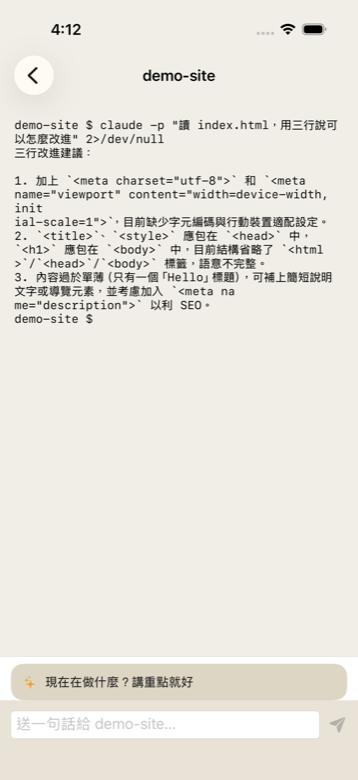
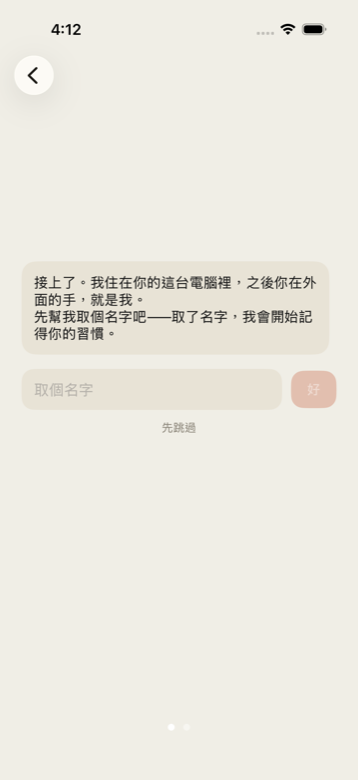
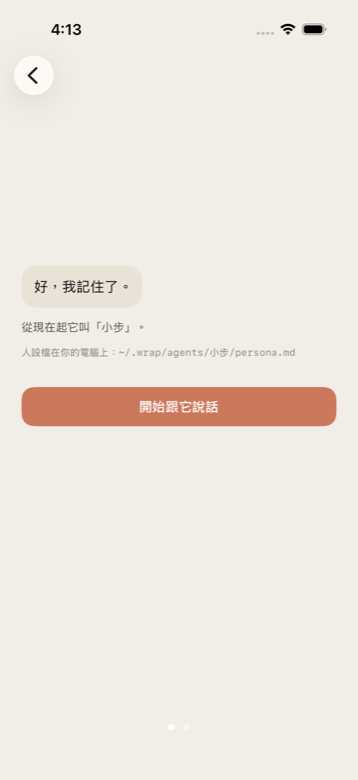
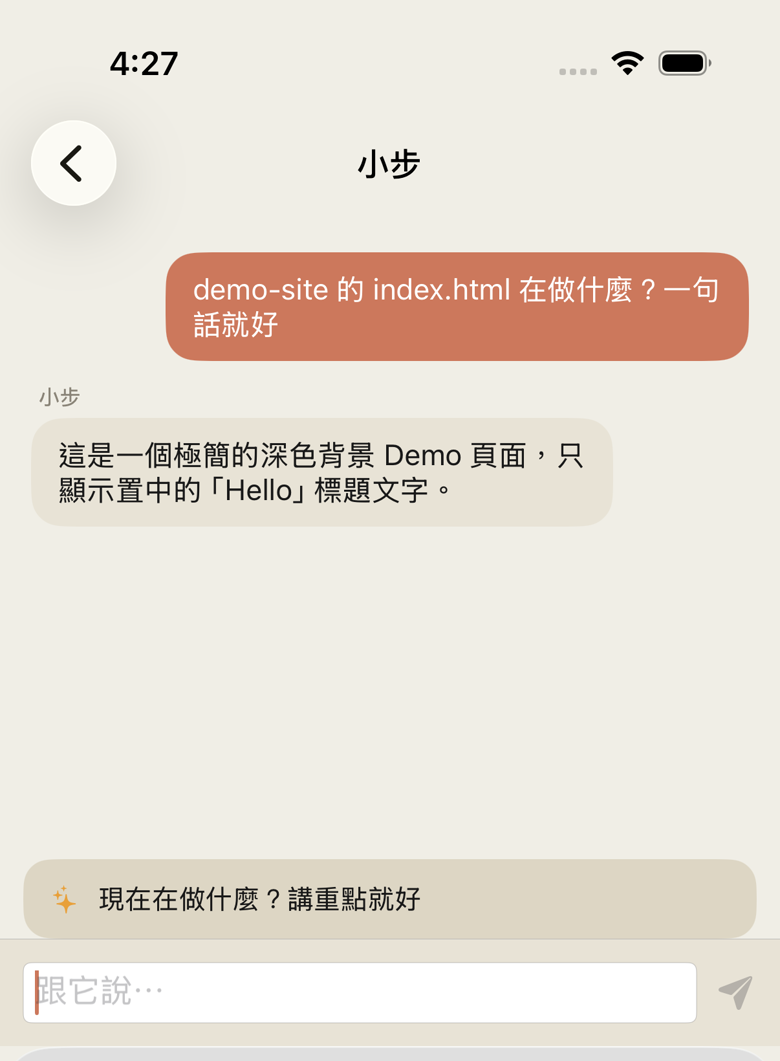
Pricing
Bring your own computer
Requires Claude Code signed in on your own machine, with your own Claude subscription. The most expensive part — the AI brain — you pay directly to Anthropic. We don't resell AI capacity; we charge for the workflow. The meeting half additionally uses your own Gemini API key for transcription (Google has a free tier); the Claude Code half doesn't need it.
Managed for you
No computer, no terminal. We run a dedicated machine and agent for you; your phone is the whole product. The Claude account is still yours — same as above, you pay Anthropic directly and we don't resell AI capacity.
curl -fsSL https://wrap.enscon.ai/install | bashThe other half: meetings
Recording in, decisions out
Flip the conversation screen sideways: share a meeting recording to Wrap from Voice Memos or Files (there's no import button inside the app — it comes in through the system share sheet), and it comes back as at most seven decision cards — each with replayable, timestamped audio evidence. Swipe right, and your computer starts executing the decision.
Two extra requirements for this half (the Claude Code side needs neither): your phone must be paired with your computer, and transcription runs on your own Gemini API key — the installer walks you through getting one. Recordings never touch our cloud; your own computer sends them for transcription.
Privacy
- Every message between your phone and your Mac is encrypted. Without the pairing key, no one gets in.
- Our servers do not receive, store, or analyze your work content.
- Recordings, code, and results stay on your own machine. Nothing lands in our cloud.
- Finished sites deploy to your own Cloudflare account — your domain, your assets.
FAQ
Do I need Claude Pro or Claude Max?
Either works. Wrap uses the Claude Code already signed in on your own computer, so whatever subscription you have is the one Wrap rides on. Wrap doesn't resell AI capacity.
Can Wrap control Cursor? Or Gemini CLI?
Not currently. Wrap only connects to Claude Code.
Does Wrap support Windows or Linux?
macOS only for now. Linux is on the way; there's no timeline for Windows.
My Claude Code runs through a company gateway or an API key. Does Wrap still work?
Yes. Wrap reads the working record Claude Code writes on your own computer, independent of where your Claude Code connects to or which kind of account it signs in with. You don't need to change how you log in.
Company policy says conversation records can't leave our network. Can we use Wrap?
Yes. The records stay on your own computer and never pass through our servers. What you see on the phone is sent straight from that machine.
Do I need to open a port on my router?
No. The connector on your computer listens on localhost (127.0.0.1) only and reaches out through a Cloudflare tunnel — no fixed IP, no port forwarding, no router settings.
Will Wrap read my code?
No. Our servers do not receive, store, or analyze your work content. Code, recordings, and results stay on your own machine.
Can Wrap work with GitHub?
Yes. Claude Code runs on your own computer with the git and GitHub credentials already there — push, open PRs, read issues, exactly like your terminal.
Does Wrap work offline?
No. Both your phone and your computer need an internet connection.
Can Wrap deploy websites? To my own Cloudflare?
Yes. Claude Code really runs the deploy on your own computer, one tap connects your own Cloudflare account — your domain, your assets.
What gets installed on my computer?
One install command (curl wrap.enscon.ai/install) sets up Node, cloudflared, tmux, and Wrap's connector. Scan a QR to pair.
Can I use Wrap without a computer?
Yes, via the managed plan: ENSCON AI's machines run a dedicated AI for you and your phone is all you need. Priced by industry.
Then set up the computer side. Open Terminal and paste this — it installs what's missing, then shows a QR to pair with:
curl -fsSL https://wrap.enscon.ai/install | bashWant product updates? Leave your email: